WotLK 3.3.5a · Warmane

One anvil for the whole raid night.

Okanvil is the raid & guild toolkit RATS forged for itself: PuG building, loot council, loot history, raid notes and recruiting — in one window, instead of eight addons that don't talk to each other.

Free to play · type /okanvil in game

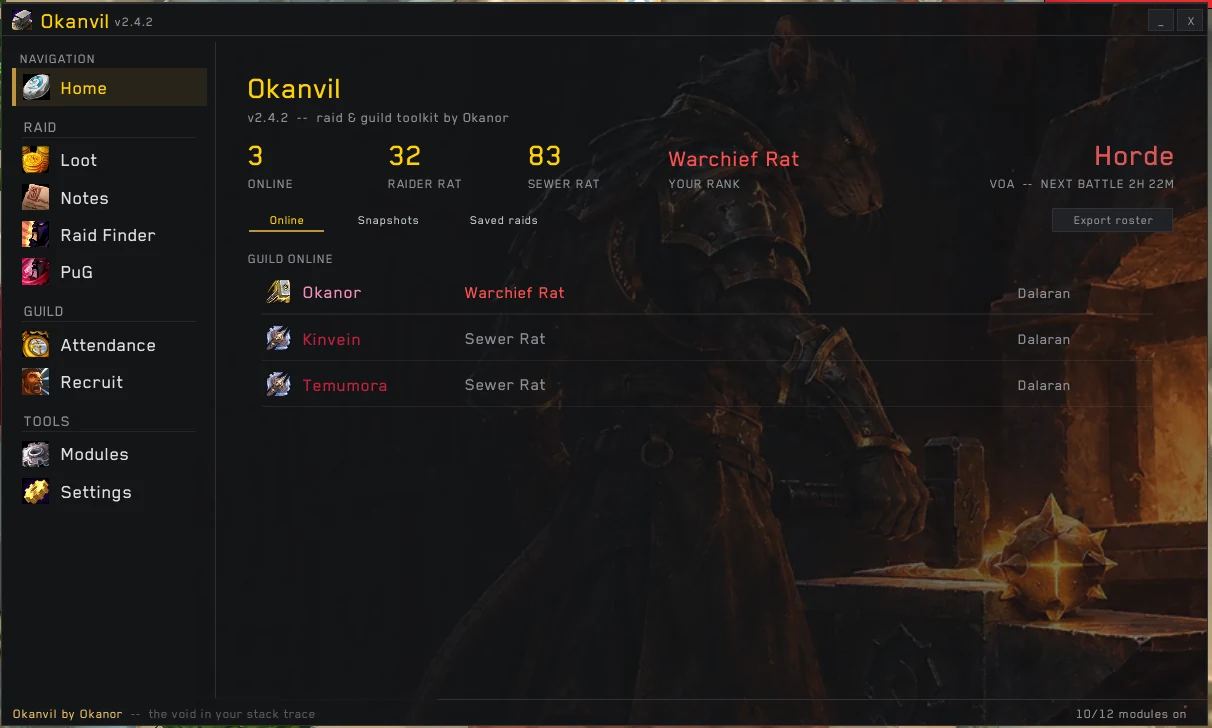
Okanvil home page: online, Raider Rat and Sewer Rat counts above the guild online list
PuG builder /okanvil → PuG

Tired of building your PuG by hand?

Spamming trade, counting heals in your head, retyping the LFM every time someone joins, scrolling whispers to find who said "rsham 5.8k"… Okanvil does the bookkeeping.

[4. LookingForGroup] [Okanor]: LFM ICC25 need 2 Tank 4 Heal 8 Melee 10 Ranged 4.8+ gs (B+O+P res)
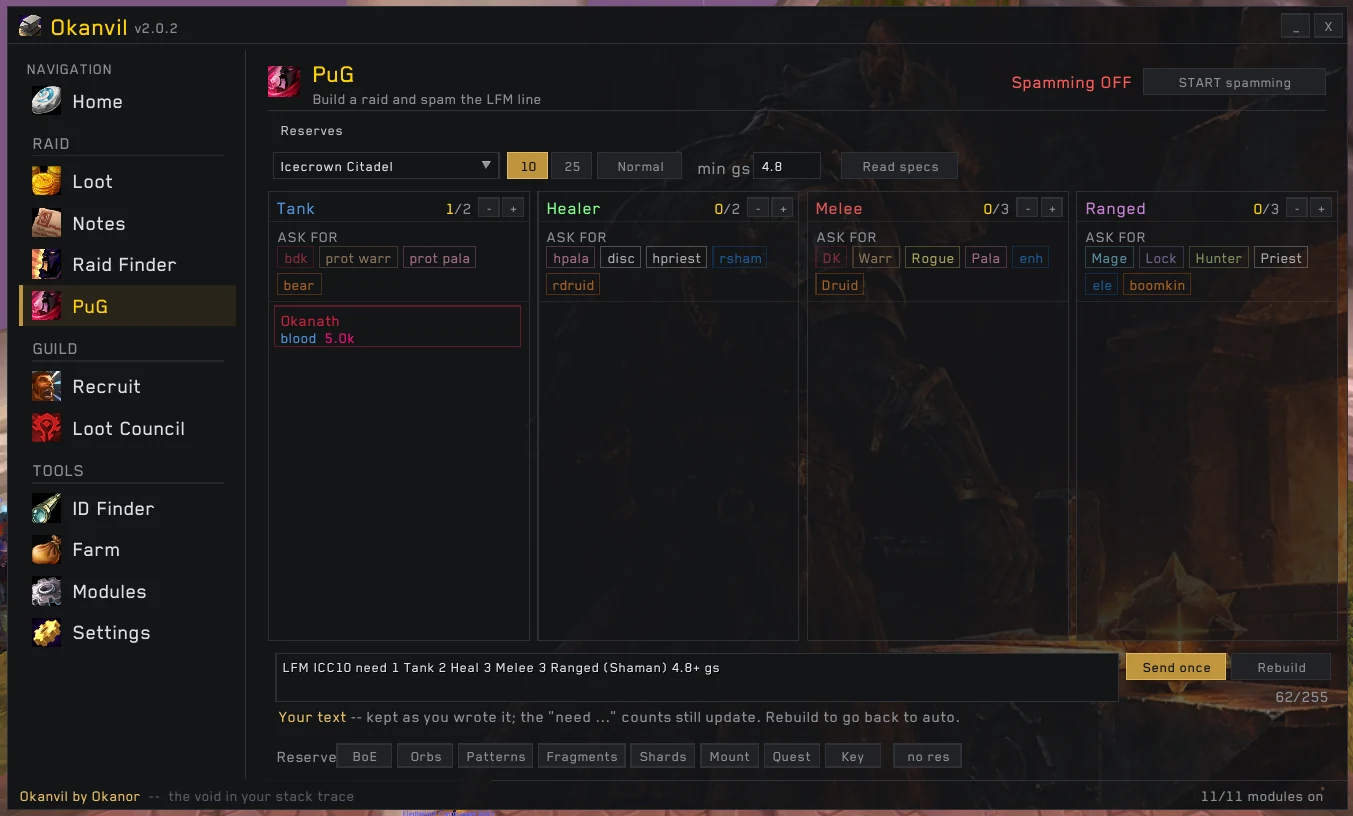
  • Tank / Healer / Melee / Ranged slots that fill themselves as people whisper
  • The LFM line rebuilds as you pick — raid, size, min GS, reserves
  • Reserve chips: BoE, Orbs, Patterns, Fragments, Shards, Mount, Key
  • Reads specs and gearscore off whoever applies
PuG builder with role columns, min GS and the generated LFM message
Raid Finder

Looking for a raid, not a wall of trade spam?

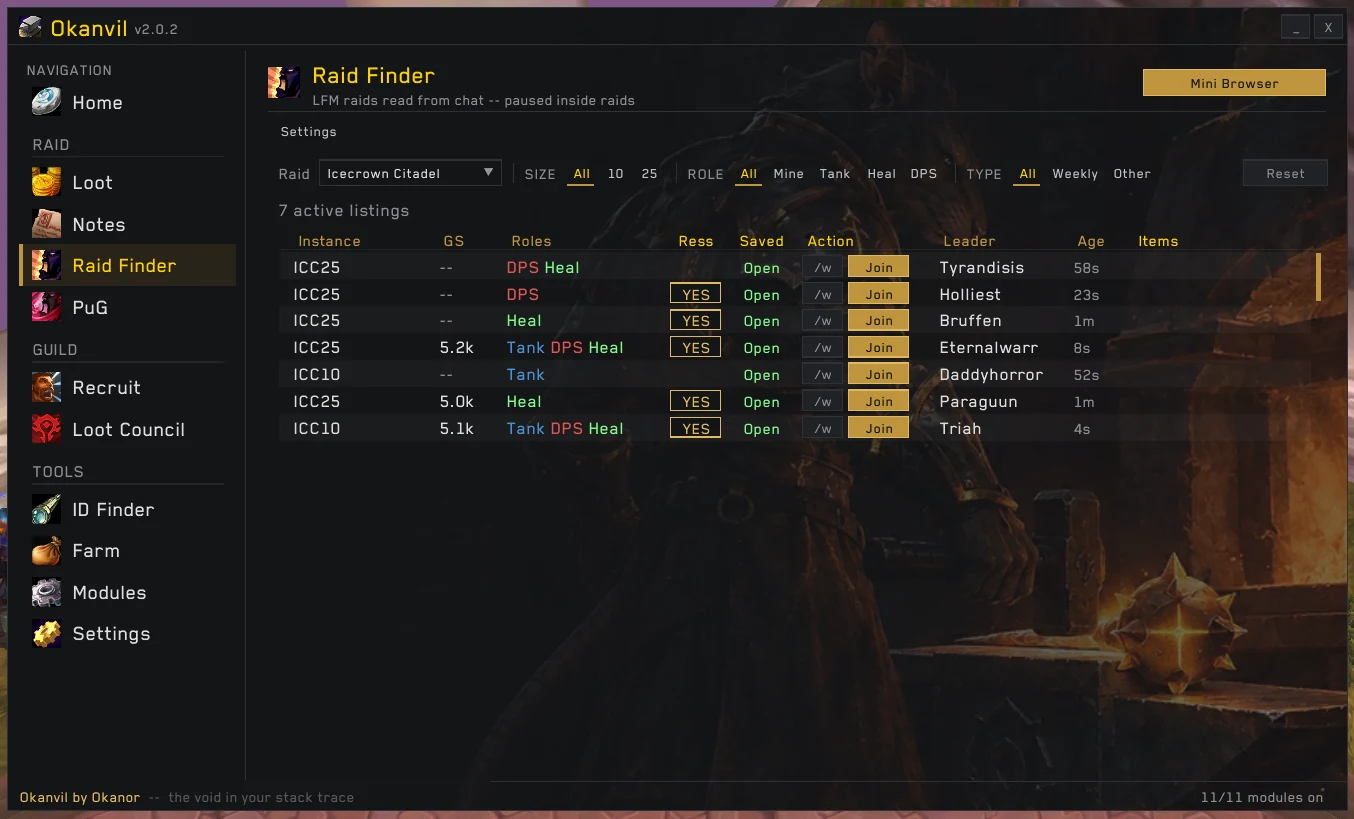
Every LFM in chat becomes one clean row: raid, GS, the roles they still need, whether loot is reserved and what is reserved — and whether you're already saved there.

  • Decodes raid lingo: B+O+P, HR, DBW, DC, "3Heals 7Dps"
  • Hard-reserved items shown as real item links
  • One click to whisper or join; sort by raid, GS, leader or age
Raid Finder table of live LFM listings with GS, roles, reserved loot and join buttons
Loot Council

A loot council people actually trust.

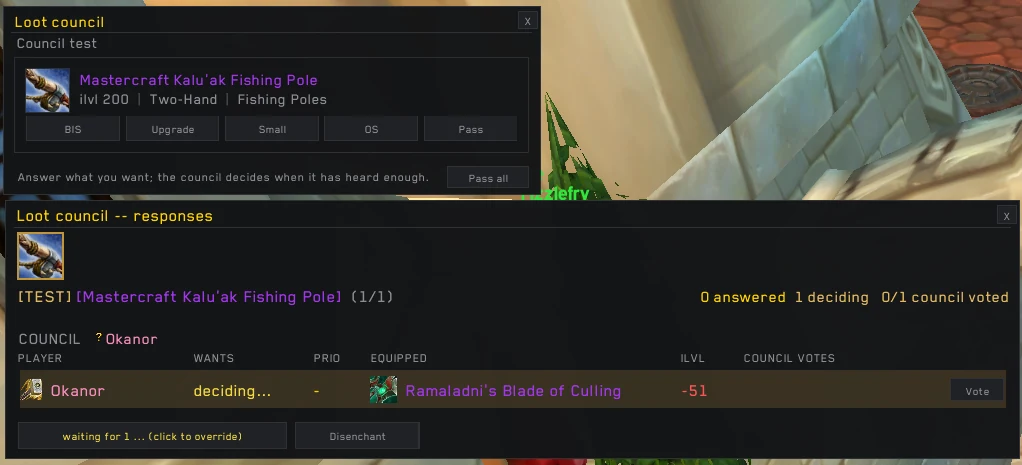
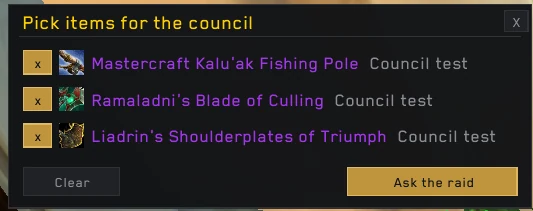
The master looter picks the items, every raider answers BIS · Upgrade · Small · OS · Pass in a popup, and the council sees each answer next to what that raider is wearing — ilvl gap included.

  • Every officer present gets the board and one vote per item
  • The guild's priority ladder right on the board
  • The ML still decides — votes are advice, not autopilot
  • Test mode with your own gear, nothing ever handed out
Raider popup (BIS, Upgrade, Small, OS, Pass) above the council responses board
Pick items for the council, then ask the raid
Loot history · Mini Roll

"Who won that ring on Anub'arak?"

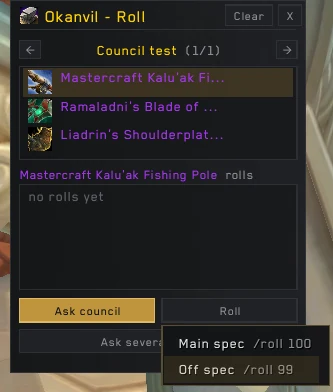
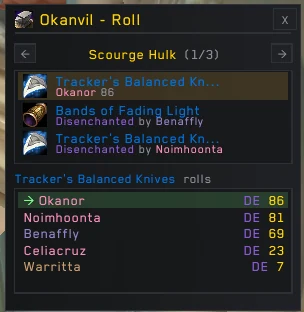
Every drop, every boss, every night — who got it and how: MS roll 87, council · BIS, or disenchanted. The Mini Roll window runs the roll-off and records the winner for you.

[Raid Warning] [Okanor]: Roll [Acidmaw Treads] -- MAIN SPEC /roll (1-100)
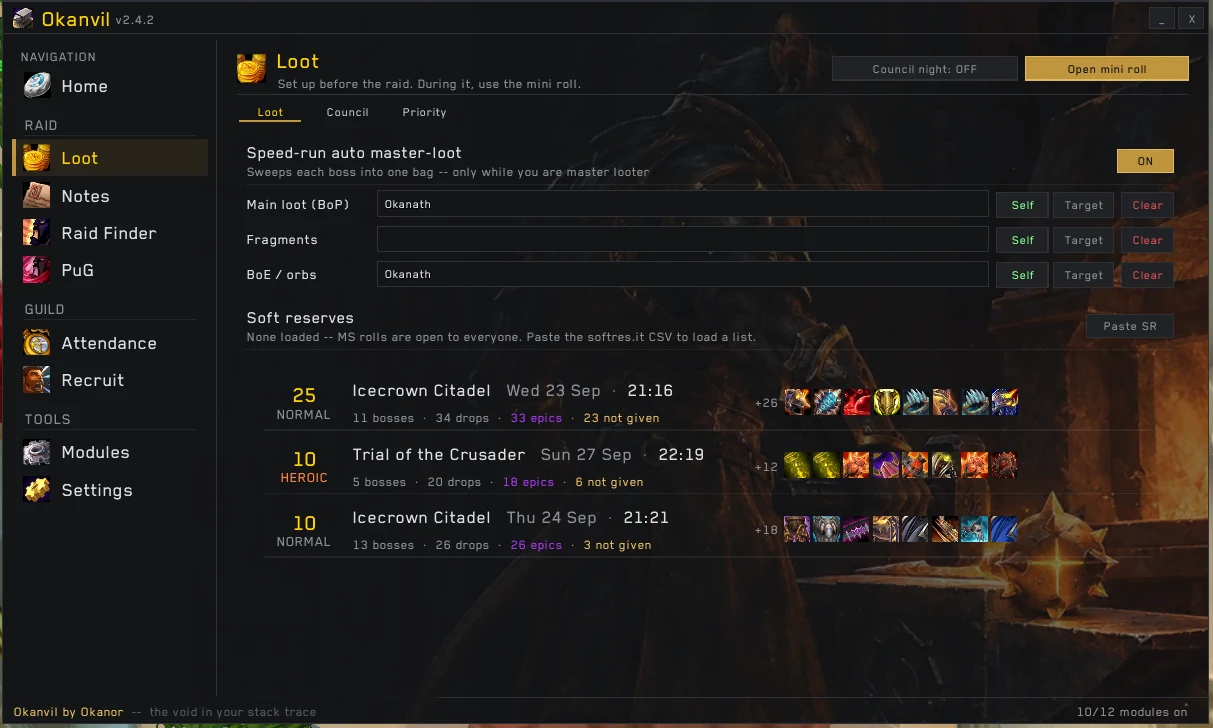
  • Sessions by raid, boss cards, heroic / 25 badges
  • Speed-run auto master-loot to your collectors
  • One-click export to the RATS hub
Loot history: one row per raid night with bosses, drops, epics and what is still not given
Mini Roll: ask the council or roll main spec / off spec
Mini Roll: winners and rolls for Scourge Hulk's drops
Snapshots

Forgot who was on last week's run?

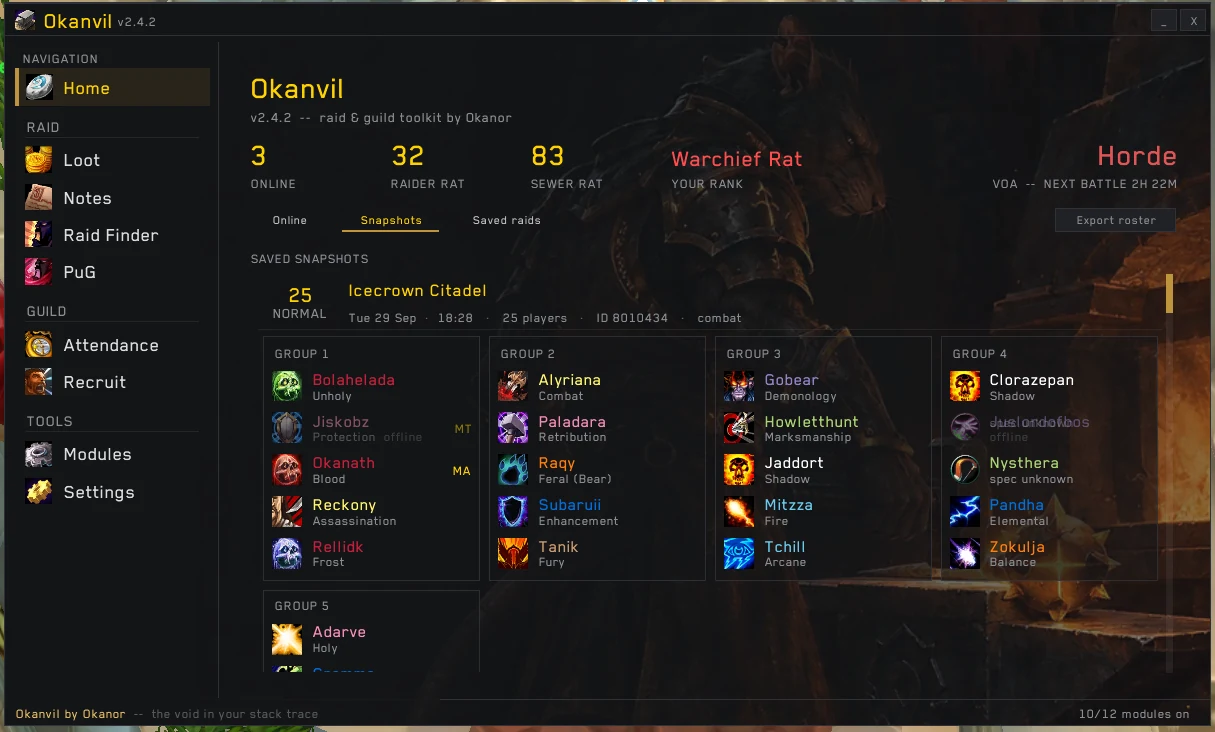
At the first pull Okanvil takes a snapshot of the raid: every group, every player, their real spec — scanned, not guessed — and who was main tank. Attendance without anyone keeping a spreadsheet.

  • Automatic — nothing to remember to press
  • Invite the whole roster back for the next run
  • Export attendance straight to the hub
Snapshot of an ICC 25 raid split into group cards with class icons and specs
Raid notes

Your raid plan, on a timer, in everyone's face.

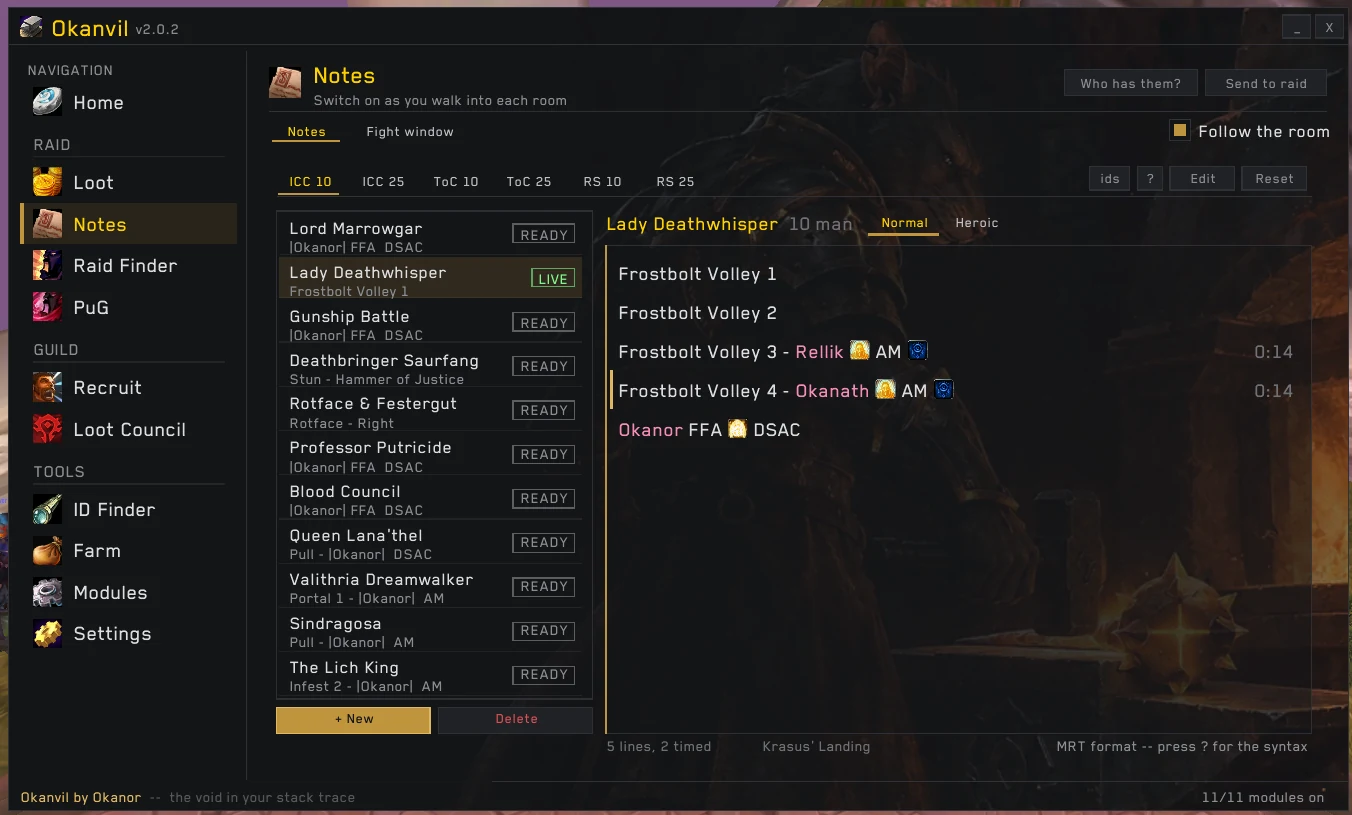
MRT-format notes per boss, size and difficulty. Timed lines count down in the fight and light up for the person they name — no more "who's on infest 3?".

  • Follows the room: walk in, the right note opens
  • Send to raid, see who has it
  • Learns the boss's real spell ids from your own pulls
Lady Deathwhisper note live, with timed Frostbolt Volley assignments per player
Recruit

Recruiting while you're busy raiding.

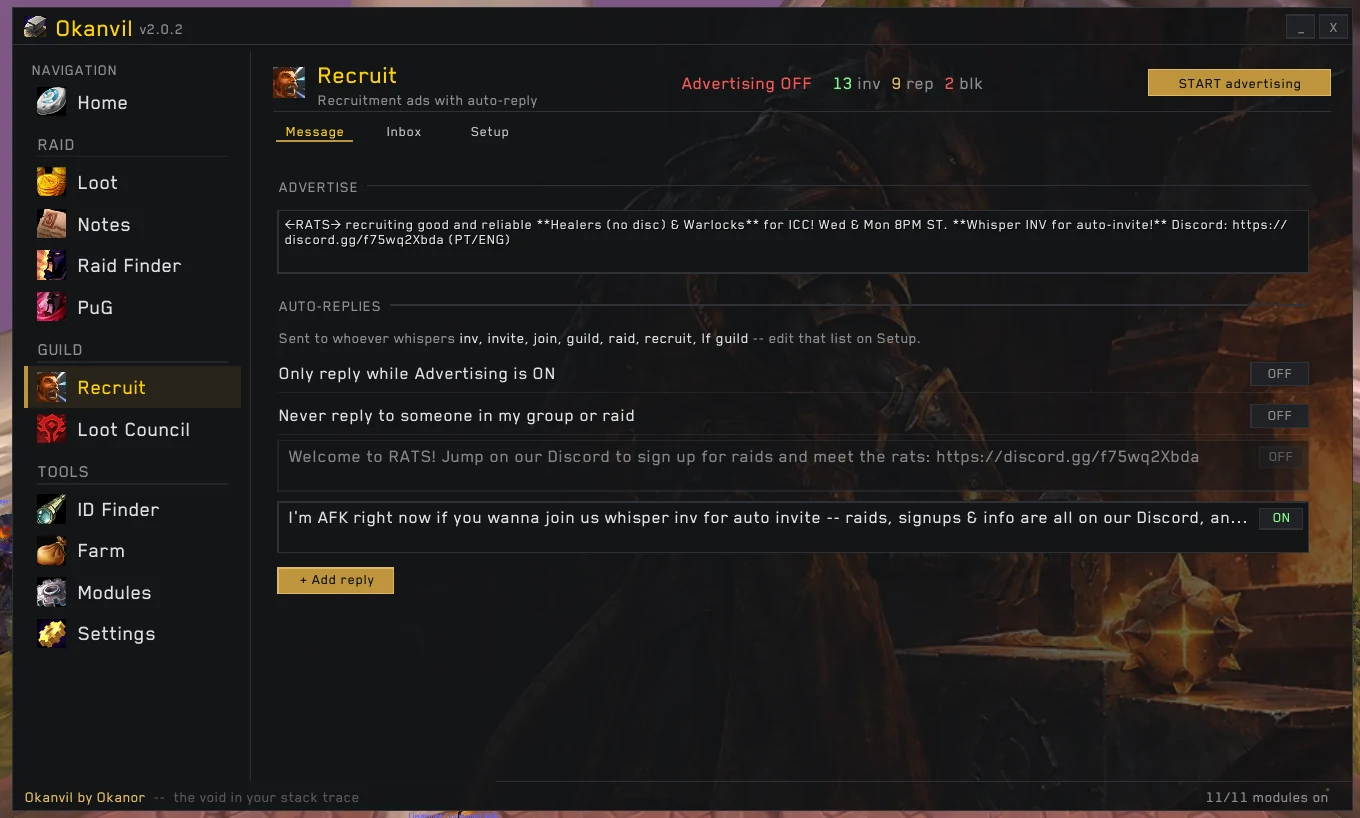
Your advert goes out on its own. Whisper inv and you're guild-invited; ask anything else and you get the Discord link — even when you're AFK. Every conversation lands in an Inbox, so nobody who answered gets lost.

  • Keyword auto-invite and auto-replies
  • Inbox with unread count and one-click whisper back
  • Officers share one advert across the guild
Recruit page: advert, auto-replies and inbox counter

And the small stuff that saves a raid.

Things you only notice when they're missing.

ID Finder

23,000+ items and spells searchable by name — the id you need for a note, a WeakAura or a macro, in one search.
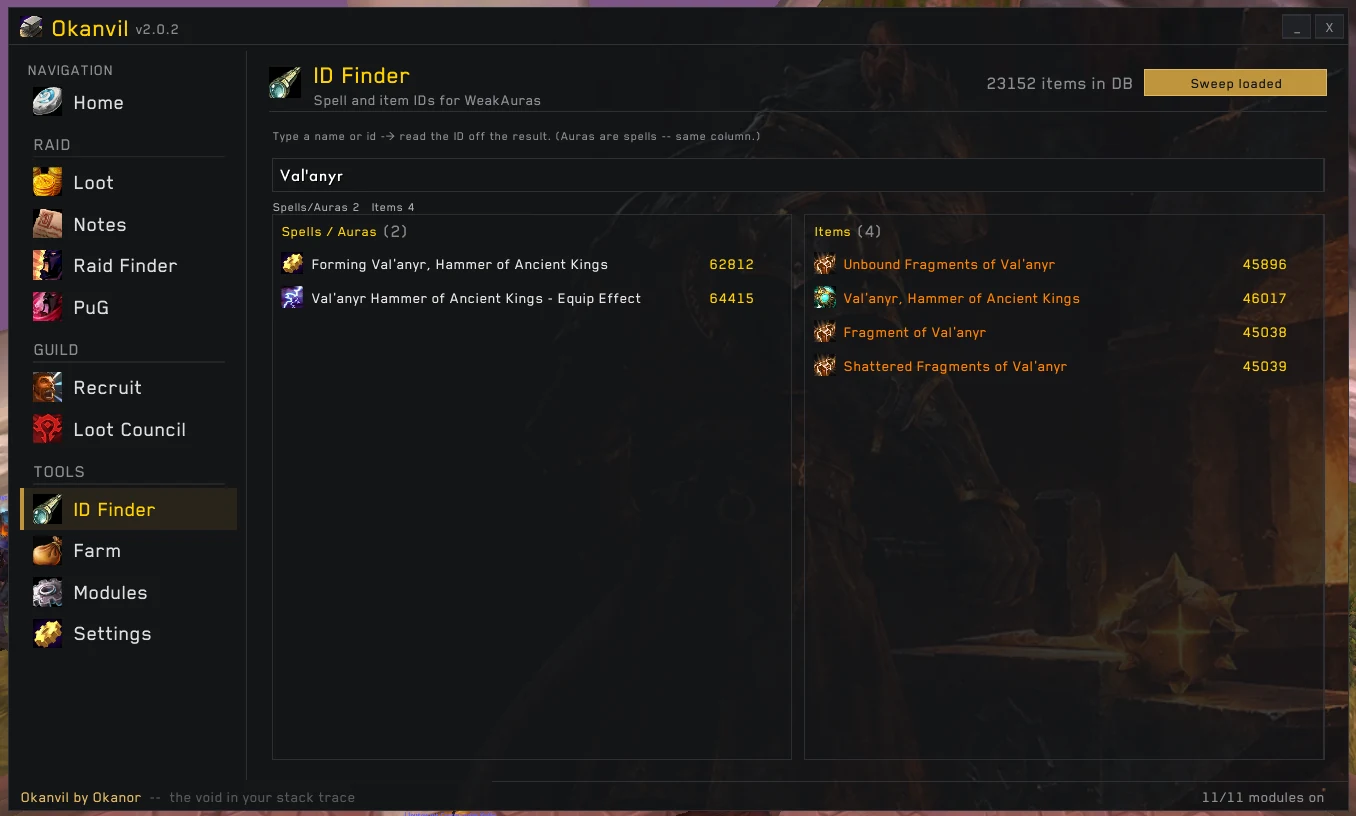
ID Finder search results for Val'anyr: spells and items with their ids

Farm tracker

Gold per hour while you farm: vendor, AH value, coin drops and kills.
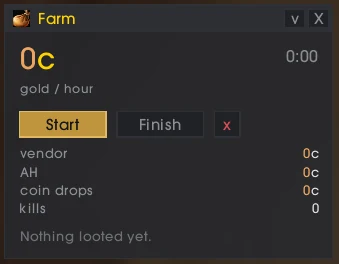
Farm tracker window

Raid Check

Who is missing flask, food or buffs, before the pull.
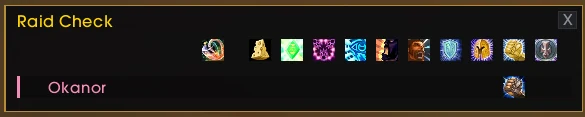
Raid Check buff overview

Saved raids on every toon

Hover the minimap button: every character's raid lockouts in one grid — 10, 25, heroic — and when they reset. No logging alts in and out to check who's still free.

Make it yours

Window scale, opacity, text size and font — and the forge wallpaper behind it all, as strong or faint as you like.
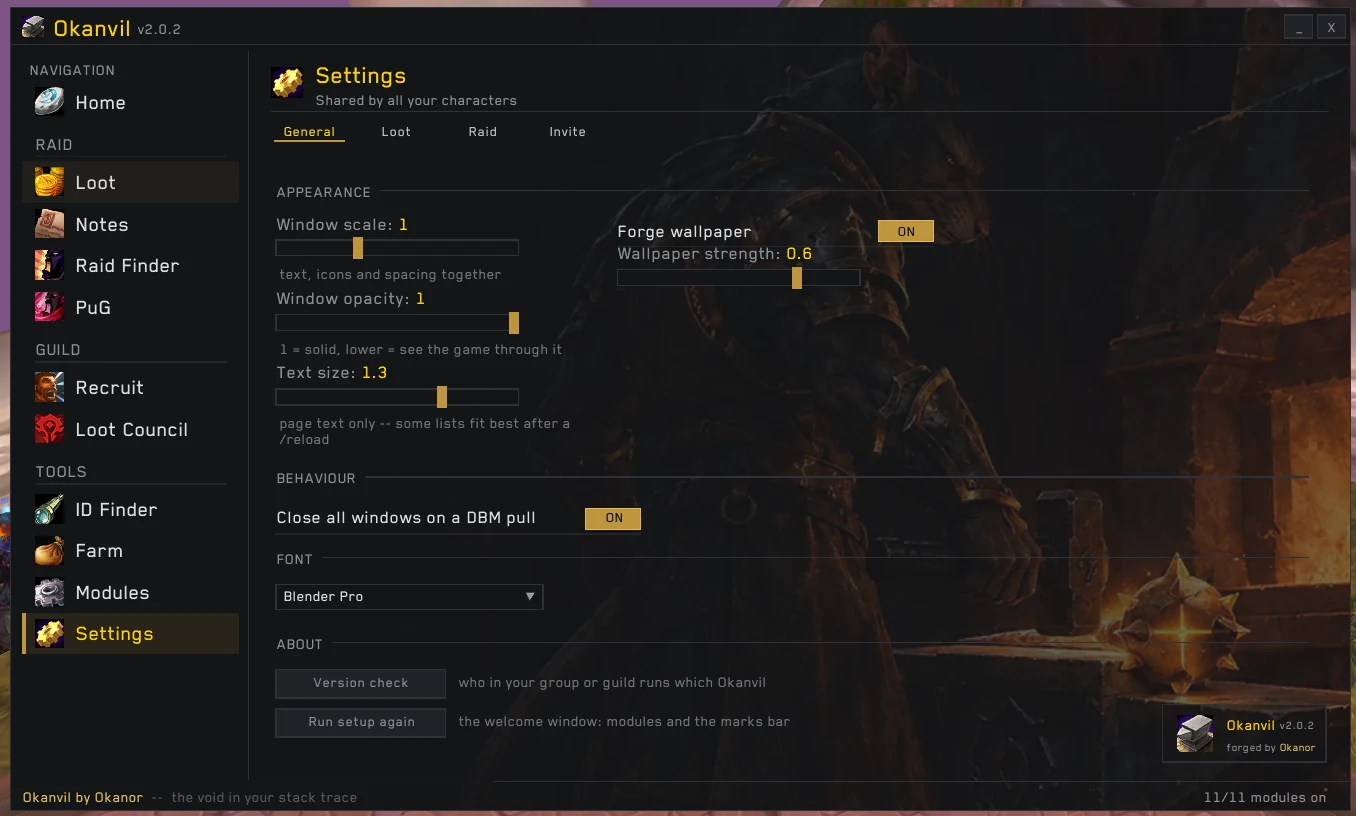
Settings page: window scale, opacity, text size, font and forge wallpaper strength

Only the modules you use

Switch any module off per character and it leaves the menu; its settings stay shared across your toons. Pin the ones you live in as shortcuts.
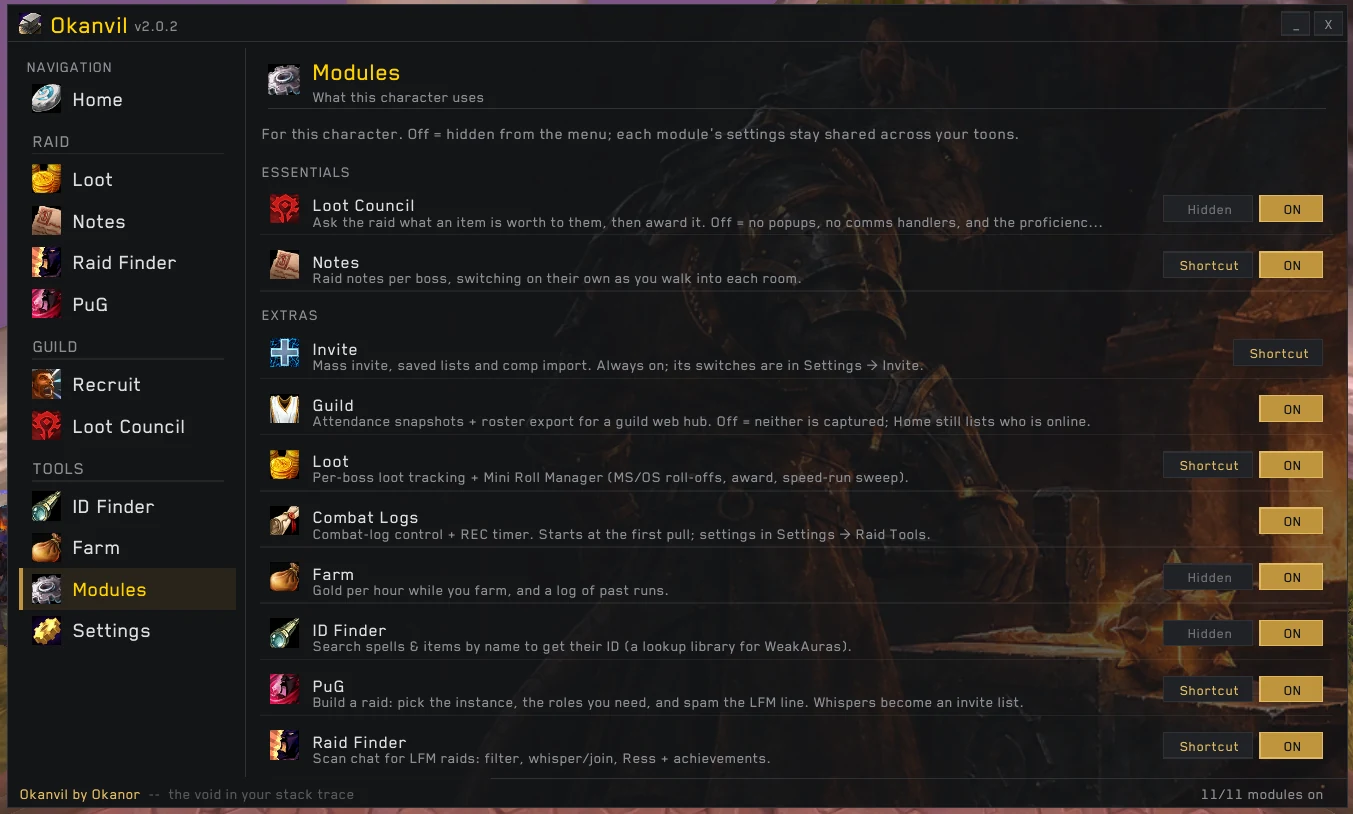
Modules page: essentials and extras, each with an on/off switch and a shortcut toggle

Marks bar

Raid marks, ready check, pull timer and a shortcut to every Okanvil page, in one bar.

Marks bar with raid target icons and page shortcuts

Install in a minute.

Works on the normal and HD 3.3.5a clients. Turn off any module you don't want in Modules — the rest stays out of your way.
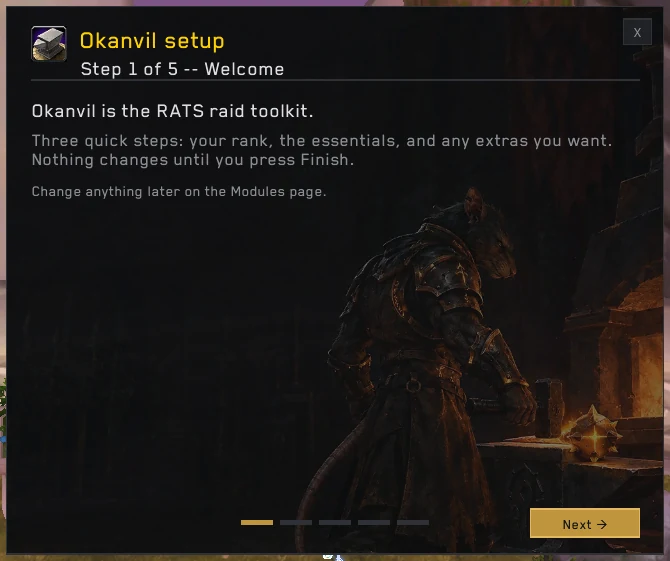
Okanvil setup, step 1 of 5: rank, essentials and extras before you press Finish
  1. Download the zipAlways the latest release, straight from GitHub.
  2. Extract it into AddOnsWorld of Warcraft\Interface\AddOns\Okanvil — if the folder ends in -main, rename it.
  3. Start the gameWalk through the five-step setup, then /okanvil any time.